cleanmgr.exe (Disk Space Cleanup Manager) Is a tool (application) that is found on all major operating systems Windows Microsoft (inclusive Windows Vista si Windows 7). In the Windows Task Manager, Not to see this process running his own. May be released to you (voluntarily) from Run box, Or ask to be released when space on your system partition (hard disk), is insufficient for the operating system to run under normal conditions.
This is what happens when space on partition C: (Which is installed Windows XP), is insufficient…
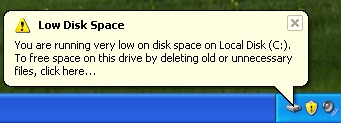 The message in the lower right corner warns us that we have insufficient space and invites us to delete files we do not need.
"low Disk Space - You are running very low on disk space on Local Disk (C:). To free space on this drive by deleting old unnecessary filesClick here.... "
Here come into play cleanmgr.exe. Once launched, it will scan and search for files that can be deleted from the partition system.
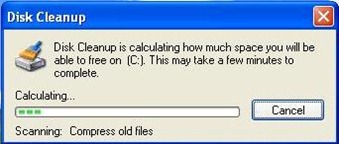
After the scanning process is completed, a box with two tabs will open. In the first tab (Disk Cleanup), you have the option to delete files from disk (such as: Temporary Files, Recycle Bin, Temporary Internet Files ... etc).
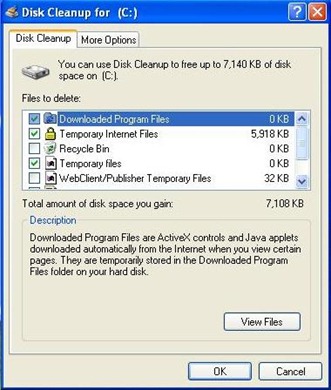
After selecting files, click OK to begin the cleaning process.

If even deleting these files does not solve the partition space problem, in the “More Options", You can delete components of Windowsacquis, installed programs or points restore (restore point - how to).
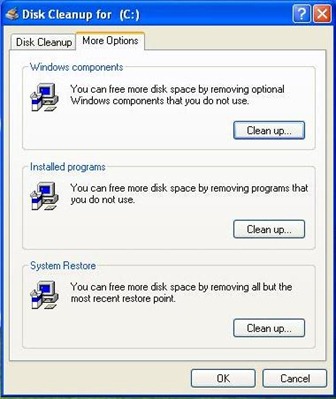
Until you eliminate components of Windows, first look to remove the programs you installed. Programs that take up a lot of space on hard disk, and which you can do without without affecting your computer activity.
