Windows 7 the interface in Romanian [Download & Install]

Advertisements

Like previous distributions of operating systems Microsoft (Windows XP si Windows Vista), Windows 7 to download and install packSite of Romanian languageFor those who want to quit English interface.
Compared to pack the and pack the , the Windows 7 comes optional update, in Windows Update Center. Is a simple variant of download and installation for all users.

How download and install the Windows interface 7 in Romanian.

1. I said language packComes the update ... so I have to go to Windows Update.

How 7 open Windows Update Center :

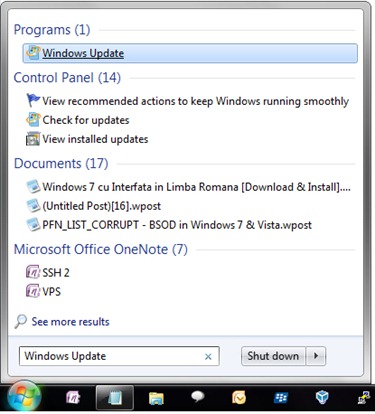
Click the Start bubble and in "Search programs and files"Type Windows Update, Then press Enter.

Open Windows 7 Update Center

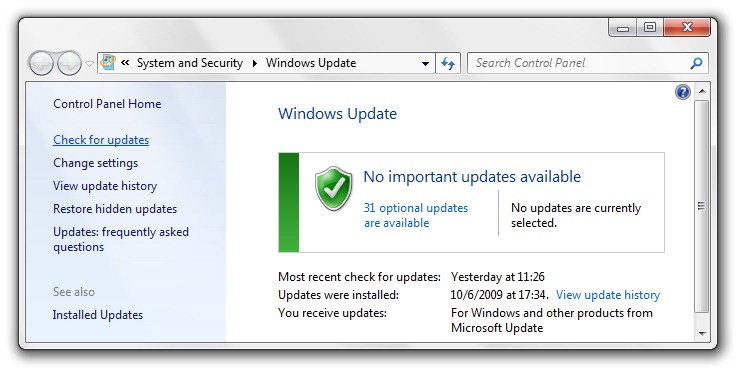
2. In the left hand column, under Control Panel Home, Click on Check for updatesTo update the list of available updates for your operating system.

Updates

Wait until the box disappears Checking for updates,
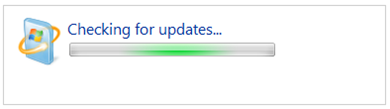
Checking for updates

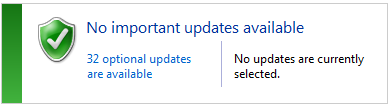
then click the updates available / optional. (Optional 32 updates is available)

32 optional updates are available

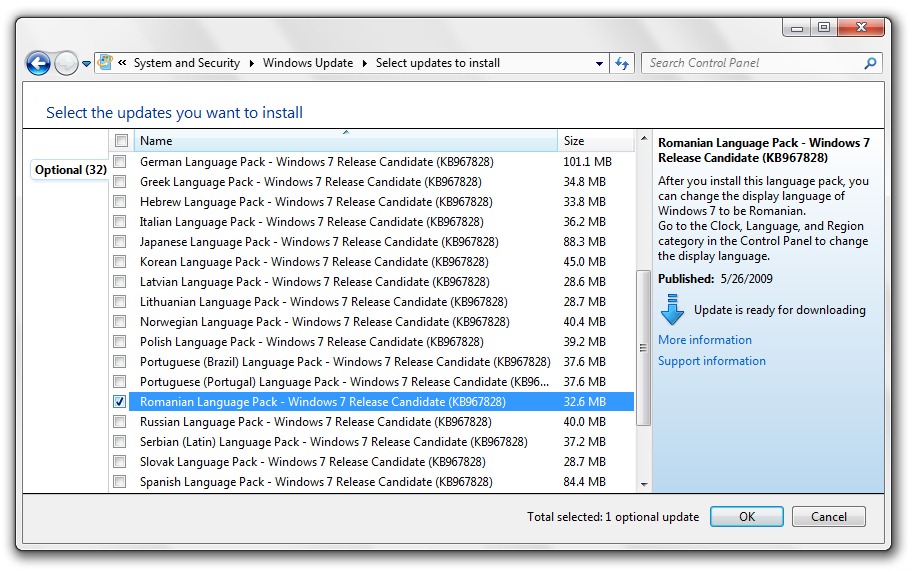
3. In the list of updates look and check the box next to Romanian Language Pack - Windows 7 Release Candidate (KB967828) then click OK.

Install Romanian Language Pack

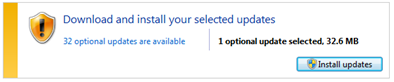
Click the button Install Updates.

Install Updates

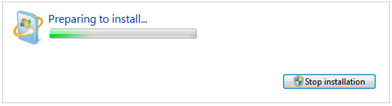
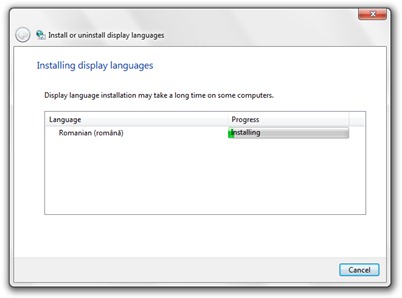
Wait until download and install Romanian language pack for Windows 7.

Instalare Windows 7 in Limba Romana

Install Windows 7 Romanian Language Pack

The download si installation may take several minutes.
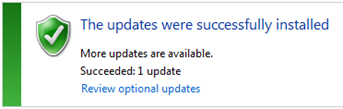
Update Installed

Now you can set the Windows interface 7 in Romanian.

Stealth Settings - sitemap

Advertisements

PROGRAMS, IT tutorials and news by e-mail

SAVE TO FAVORITES / bookmarks

COMMENTS

43 Comments: 7 Windows interface in Romanian [Download & Install] #
  1. gab and says:

    hello why I can not do upgraade to windous

  2. Sergo says:

    If they do re-install or resume windowsu like that?

  3. gaby says:

    SALL.
    HOW TO PUT ON PC AND IO Romance languages ​​that I do not go to UPDATES

  4. adi_osk says:

    Not work Vistalizator http://www.froggie.sk/download.html on Win & Pro 64 bit
    "This build (7601) is not supported"
    Other solutions?

  5. stanly7 says:

    Try Vistalizator http://www.froggie.sk/download.html
    I have windows home premium 7 work.
    This is the third time I post.
    Try and read all comments.

  6. Marcko says:

    Hello!
    Thank you very much for your help, but if you have a license for Windows 7 Professional English? I have this update (from last to have this update) and I think that there is any way to install the language to Professional :-(
    But it seems that I found it ...
    You know any?
    Thank you!

  7. karlyta says:

    Better. Anyone can help me? My Windows regularly in German, not English or Romanian is: (

  8. good .. Excuse me but who knows and can tell ami link / site to give downloader windows7 install who knows what I can do in windows vista product key when asked ami id not know them .. I?

  9. vali vali says:

    Good you please help me with fak min and to download jokuri

  10. alin says:

    I downloaded but increasingly interfaced to fak k tr to change me
    plz
    scz

Comment?

Posts related

Search on Google ::

powerpoint скачать бесплатно на 30 дней, PRA xp motivy, скачать таблицу графика 30 дней, produktový kľúč Windows 7, stiahnem kde windows zdarma 7?, скачати безплатно получение нового ключа продукта Windows 7, rc chiave di windows vista beta one, 7 ultimate product key win, FRE DOWNLOAD WINDOWS 7, stiahnem kde windows zdarma 7?, użutkowanie office darmowe 2010, motívy pre powerpoint stiahnut, okna Pobierz za xp free, localizedresourcename 21815 befehl, vlozit po ako kod do systemu windows 30 dnoch,
ArabicBulgarianChinese (Simplified)Chinese (Traditional)CroatianCzechDanishDutchEnglishEstonianFinnishFrenchGermanGreekHebrewHungarianIndonesianItalianJapaneseKoreanLatvianLithuanianNorwegianPolishPortugueseRomanianRussianSerbianSlovakSlovenianSpanishTurkishUkrainian