Normally, when we want to delete a user in Windows XPThe solution is very simple: open Control Panel> Administrative Tools> Computer Management> Local Users and Groups> User, Give the user right-clicking on that we want to delete and select Delete.
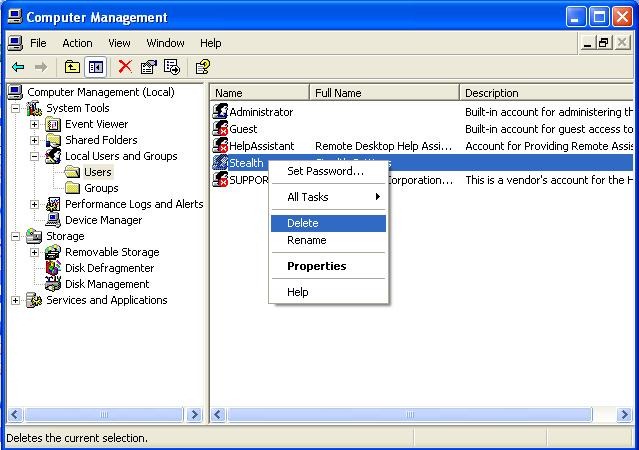
In some situations, however, such as the view bogdan brought in comments on this article, users simply Keep deleted.
Hello.
Can you tell me how to delete a user? Administrator in Windows XP because it doesn't let me […] Of course I log in with the user Administrator and the password when it starts Windows XP. I can't delete it from the Control Panel.
The most likely cause of this problem may be times that the user is part of the group Administratori of the system (and were granted privileges of administrator when it was created), in which case you must first boot Windowsthe in Safe Mode then we login using the username Administrator default to be able to delete the "stubborn" user, or the user Administrator (the one created by Windows XP) not active (ie it can only be accessed in Safe Mode) and apart from the user we want to delete, we don't have another user created in the system (Windowsthe user needs at least one user to be able to load).
In this case it is a user Administrator (First version) not let removed from the system using the method described at the beginning of this article. If the user can not be removed from control Panel not when Windowsis booted into Safe Mode, the following method will definitely have more chances of success.
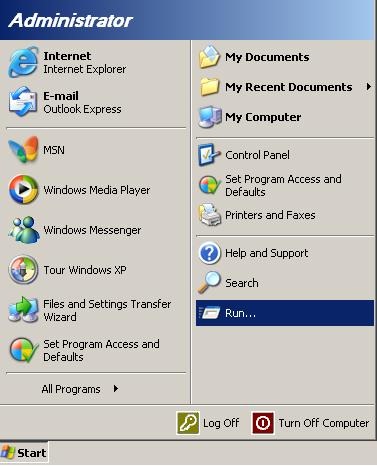
- boot Windows XP in Safe ModeThen open Run from Start Menu
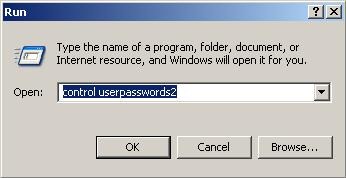
- in the field of law Open type the command userpass controlword2 and click on OK
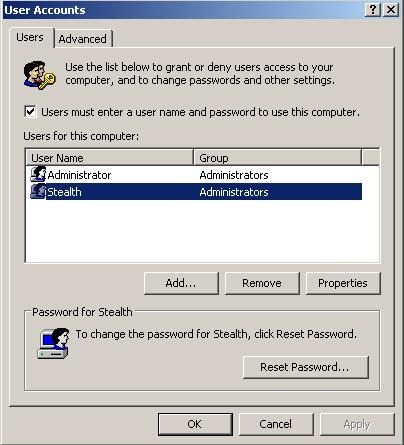
- opens a window User Accounts which will list all existing users in Windows. Select the user you want to delete and click remove
- will see a dialog will ask if you are sure you want to delete the user. Click OK
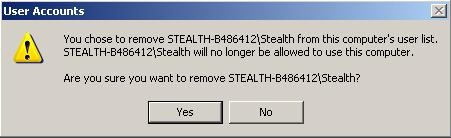
And that's it. The user was deleted from the system, and after the restart Windowsu will log in directly the other existing user (whether it's the user Administrator, whether it is another user) if he has not set one passwordOr displays login screen (Windows Logon) If it is password protected (or if there are more users create).
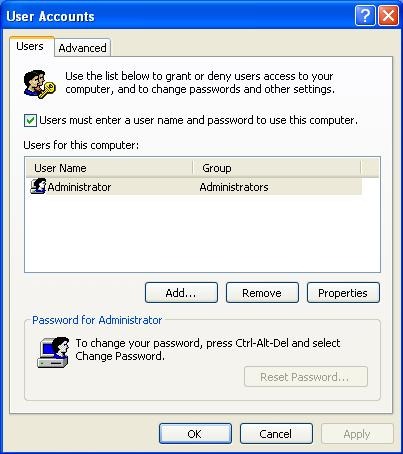
If the user Administrator by default it is not active - and you have no other user created in the system other than the one you want to delete - will be activated automatically after deleting the other user, for Windowsit can be charged.
STEALTH SETTINGS - How to delete an Administrator user in Windows XP

mám Problem
I was KED Zapne PC Viskocia 2 uzivatelia 1.hp to je moj admin 2.Martin ten ktory call odstranit
zapnem ten moj hp ucet
ale ked idem do ovldacie panely pouzivatelske konta spravovat ine konto konto Martin uzivate ok uzivatelo sa restartoval som pc ok ide nenaskocia 2 uzivatelia ale uz Normal Vitajte ale ked restartuje 2. krat pc tak zasa 2 uzivatele 1.hp moj admin 2.Martin ktori som removed
prosim Pomozte
chyba Velka
Snazim to use odstranit aces to 2 tyzdne
Dakujem za odpovedal